Linters for Java
After you run the init script, your repo has been initialised with Linters and Static checkers for all your assignments.
Know more about what linters are here
For Java Assignments there are primarily 2 tools involved -
These will enforce certain basic coding conventions for you guys to be aware of before you step into KDU.
The Java Assignments use Maven for Project Management. You can explore more about Maven here
A typical Java Project in Maven looks like this -

While these linters would be run before each commit, you can manually run them for Java projects and avoid the committing loop by executing ./mvnw clean verify. Make sure you are inside the project folder before running these commands.
If you want a detailed report of where your code is going wrong and debug it, run ./mvnw clean site.
This would output something like this - Checkstyle and PMD Report generated at /Users/asishmahapatra/Desktop/Developer/Company/assignments/java/target/site/project-reports.html which you can copy paste and open in your browser.
You might see .xml file as well instead of .html in the console output Failed to execute goal org.apache.maven.plugins:maven-pmd-plugin:3.23.0:check (default) on project java: You have 6 PMD violations. For more details see: /Users/asishmahapatra/Desktop/Developer/Company/assignments/java/target/pmd.xml. You'll need to open it in a code editor of your choice. That'll also have similar details as the .html report.
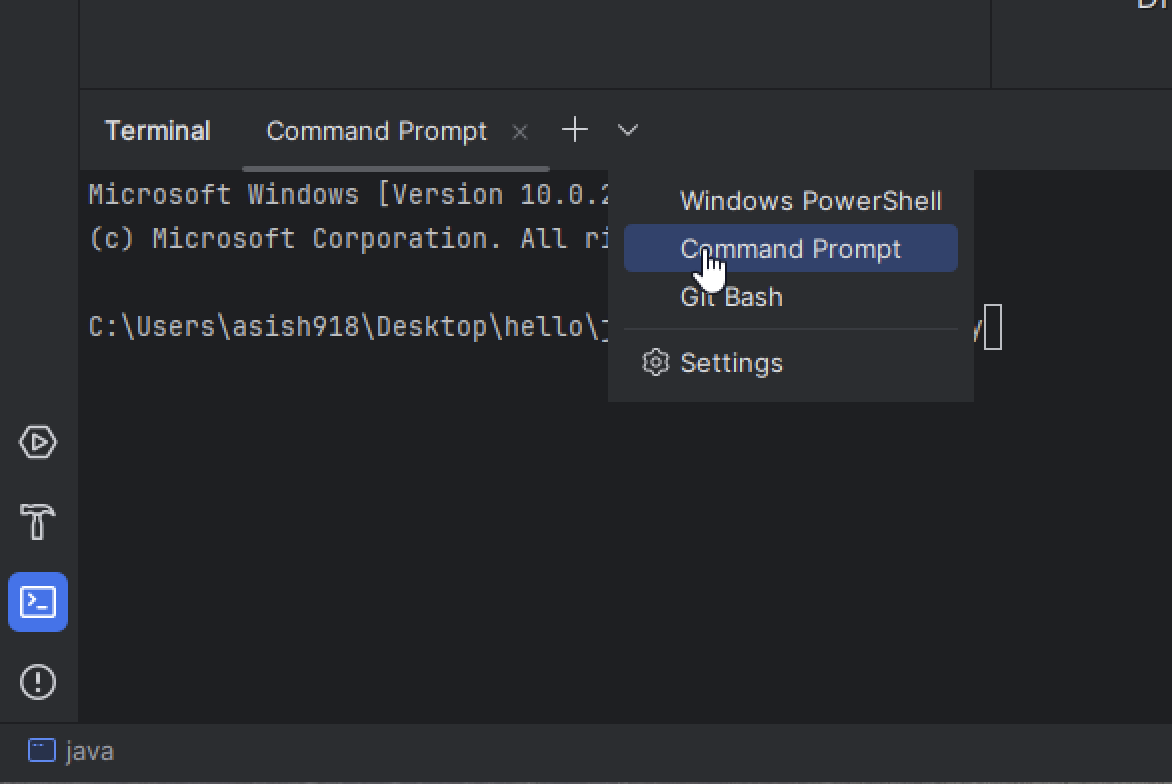
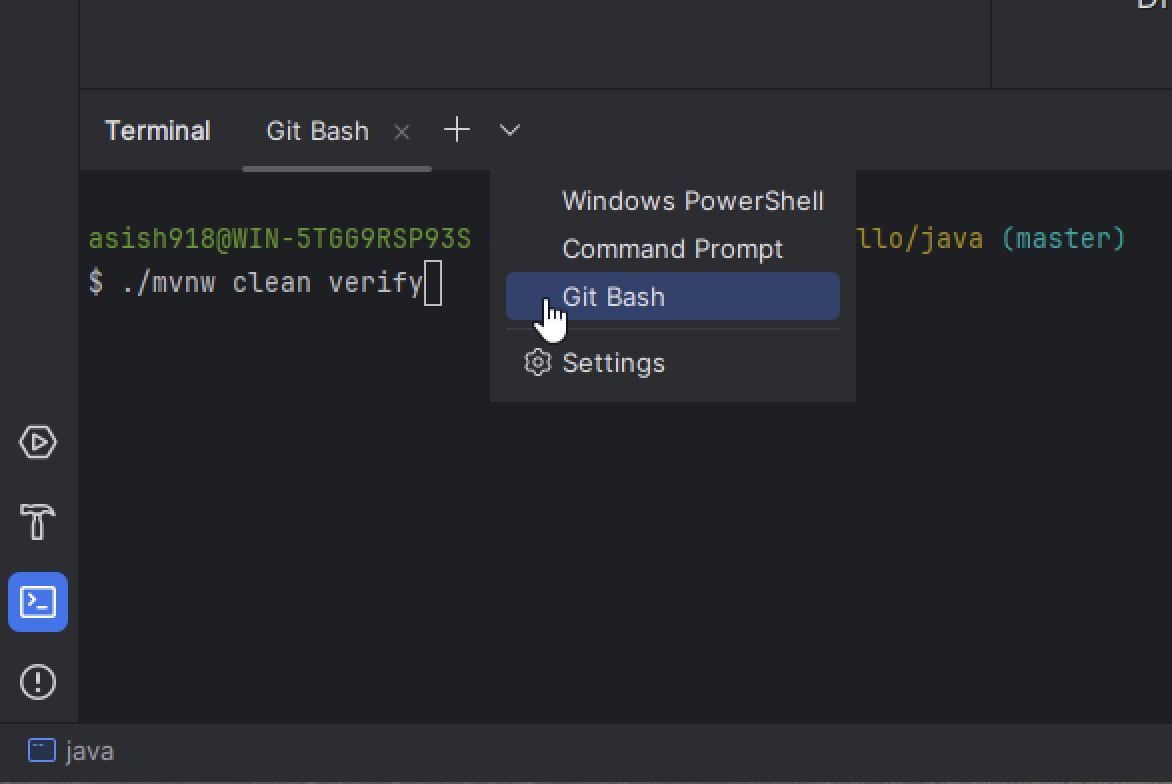
- For Windows folks, You will need to select Git Bash as your terminal prompt in VS Code or Intellij.
VSCode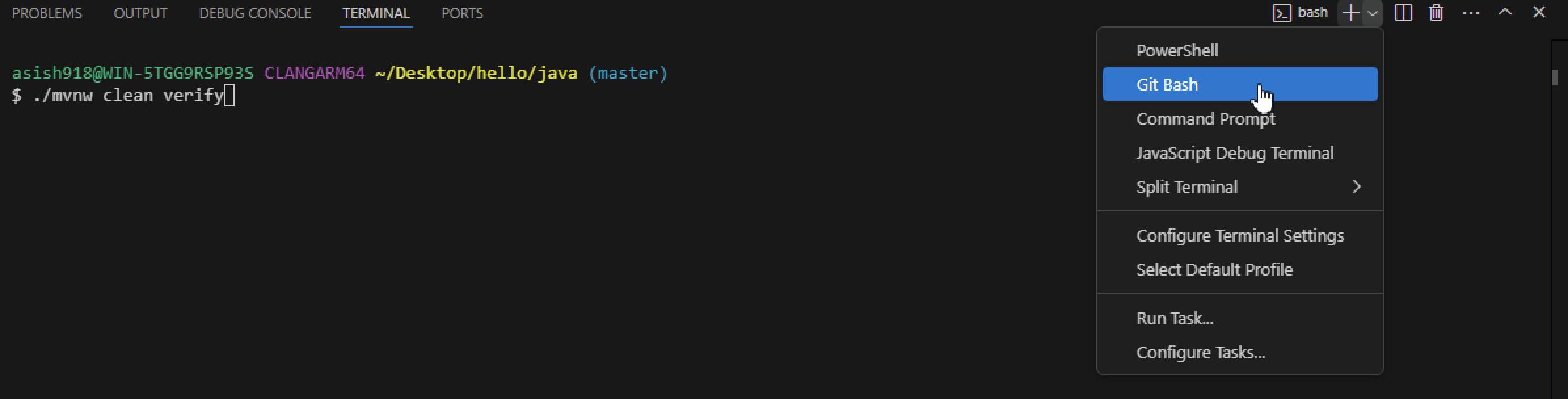 Intellij
- If that doesn't work then you need to make sure you use the Command Prompt instead of Powershell (default). The command will look slightly different in that case. Notice the initial slash.
VSCode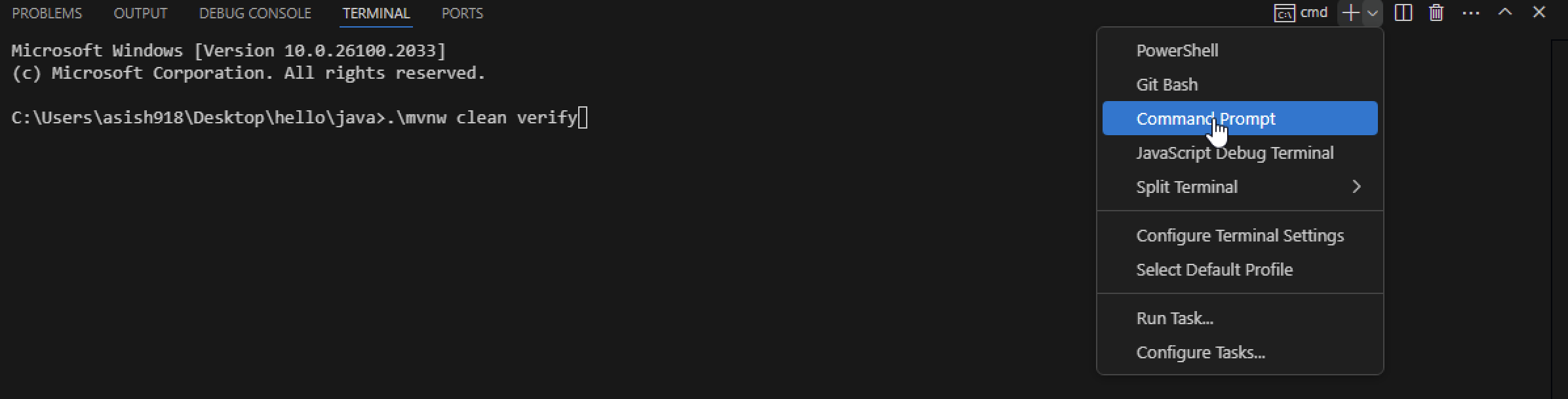 Intellij